Formula modes
Each workbook has one of three evaluation modes, controlling which formulas parse and what is reachable from them:
| Mode | Grammar | Python escape hatch | Sandbox | Use case |
|---|---|---|---|---|
EXCEL |
strict Excel | none | not needed (no eval) |
xlsx interop, untrusted files |
HYBRID |
Excel + py.* |
code-block functions reachable as py.foo(...) |
code blocks only | most new sheets |
PYTHON |
Python eval() |
full Python expressions | full AST sandbox | numpy/pandas-heavy work |
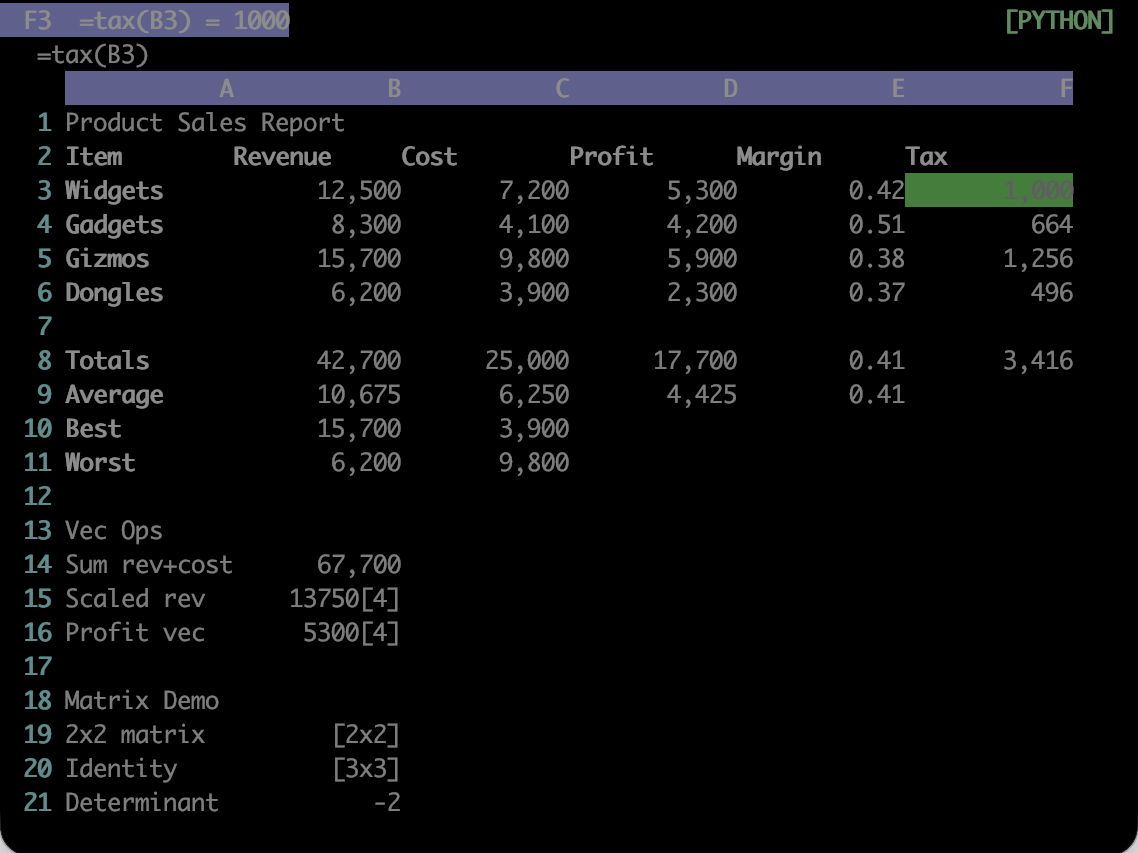
examples/example.json in PYTHON mode. F3 calls tax, defined in the workbook code block with :e; the mode badge is top right.
Switch with :mode <name>. The change is refused if any current formula does not parse in the target mode.
Files without an explicit mode field load as PYTHON, for backwards compatibility with workbooks written before modes existed. :xlsx load switches to EXCEL automatically, since an imported workbook's formulas are Excel formulas by definition.
The mode also decides which recalculation engine runs: EXCEL and HYBRID use a dependency graph derived from the parsed formula ASTs and evaluate in topological order, while PYTHON iterates to a fixed point. See Topological recalc for why, and Security plan for what the sandbox does on each path.