gridcalc
A programmable spreadsheet for developers and technical users, with Excel-ish formulas, Python escape hatches, XLSX interop, goal seek, and LP/MIP solving. It ships two frontends over one engine: a curses terminal app, and a desktop window that renders the same workbook in a webview.
Inspired by Serge Zaitsev's kalk.
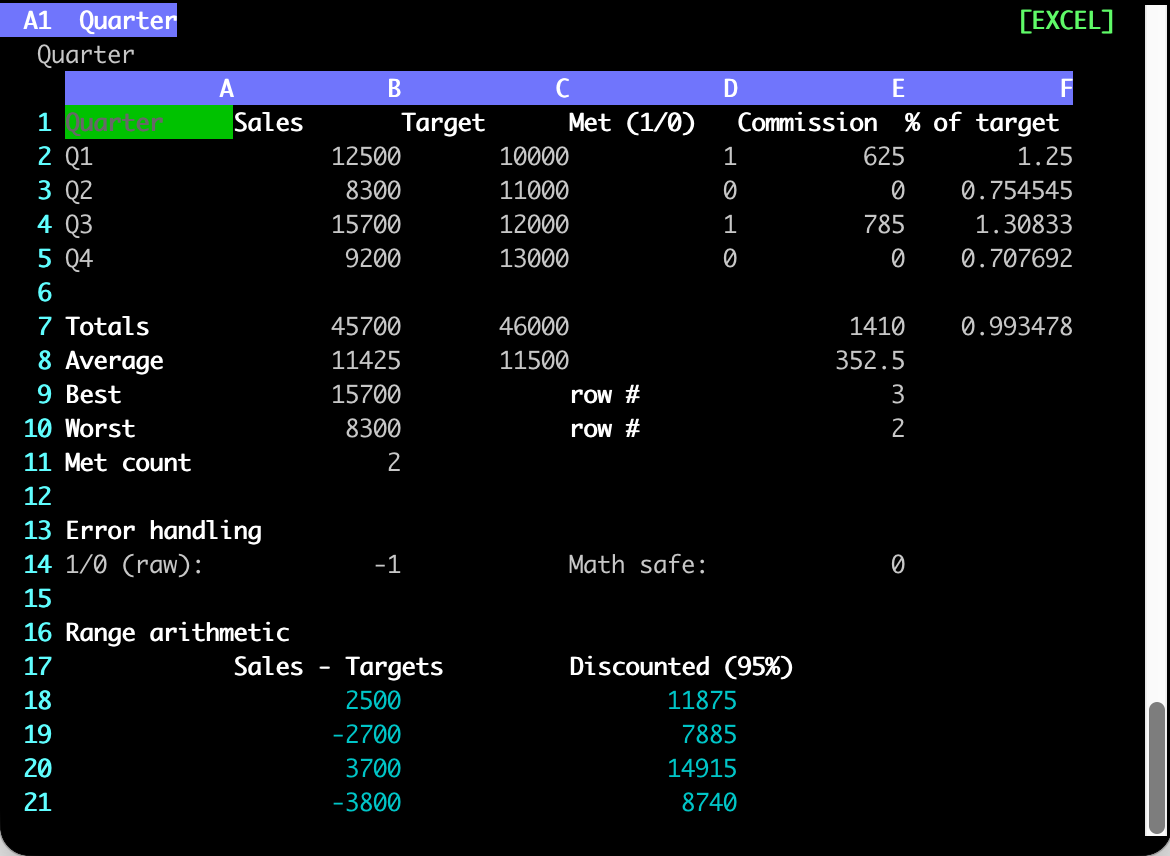
The terminal app over example_excel.json. The quick tour walks through it.
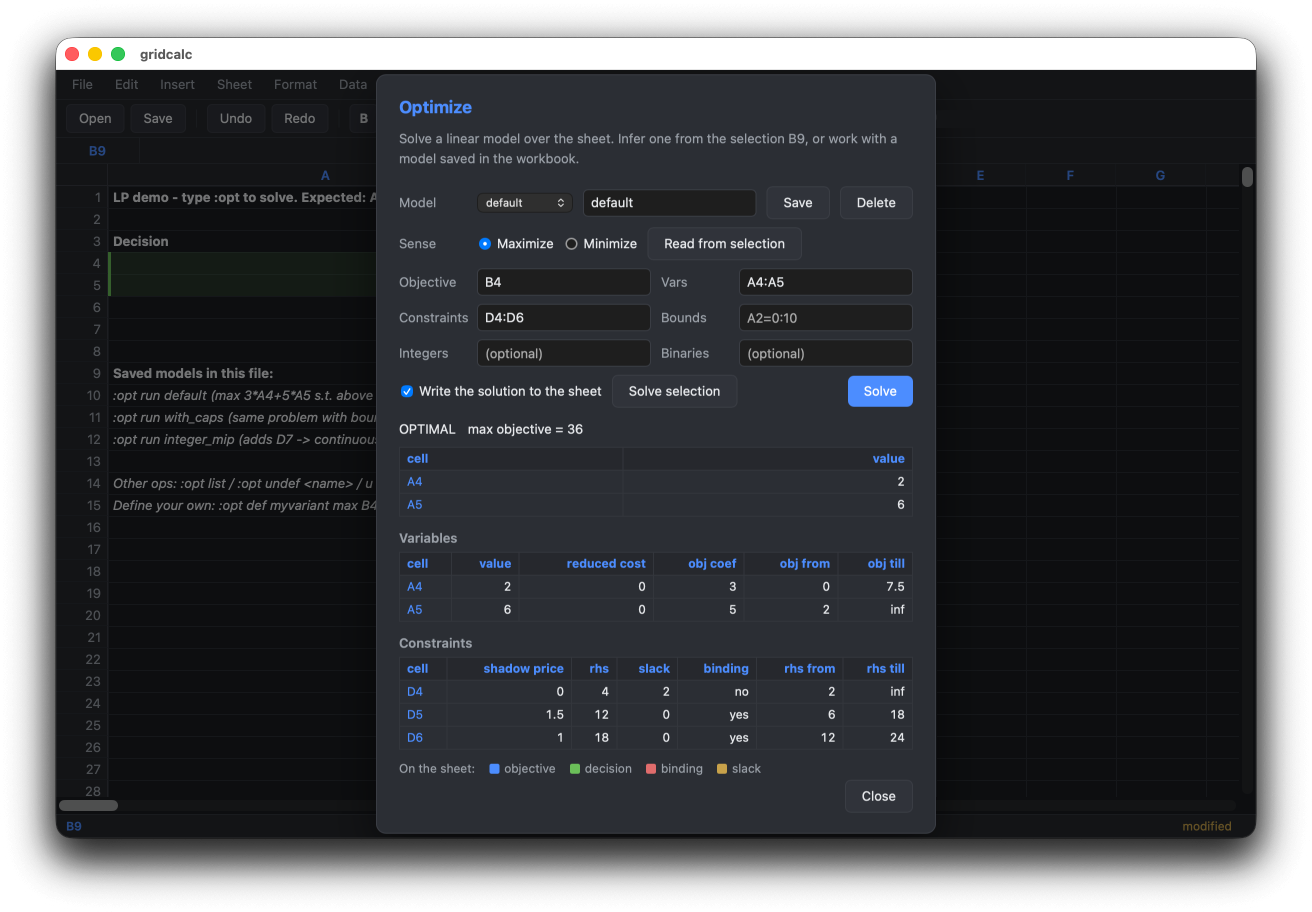
The desktop app solving example_lp.json -- the solution is written to the sheet behind the dialog.
pip install gridcalc
gridcalc budget.json        # terminal
gridcalc-web budget.json    # desktop window  (needs the [web] extra)
What it gives you
-
Excel-compatible formulas (
=IF(A1>=B1, A1*0.05, 0)) and arrays (=SUM(A1:A10 * B1:B10)) without leaving the terminal. -
Multi-sheet workbooks with cross-sheet refs (
=Sheet2!A1) and a proper dep graph. -
Three formula modes per file: strict Excel, Excel-plus-
py.*, or full Pythonevalwith numpy/pandas. -
xlsx interop via OpenXLSX C++ -- read every sheet's formulas and values; export with cached values.
-
Linear, mixed-integer and quadratic programming built in via HiGHS --
:opt max B4 vars A4:A5 st D4:D6solves from cells in the sheet, with shadow prices, infeasibility diagnosis, and RHS sweeps. Models persist in the workbook. -
Goal seek --
:goal B10 = 100 by A1adjusts a variable so a formula hits a target value. -
Vim-style command line (
:w,:e,:q,/search,y/p, visual selection, undo), with system-clipboard copy/paste -- yank pushes values as TSV, paste pulls TSV in from other apps. -
A desktop app as well as a terminal one -- the same engine behind a mouse-driven grid with menus, a Ctrl-K command palette, and solver results painted onto the sheet. Most
:commands are a shared registry both frontends dispatch, so they behave identically in each.
Where to start
| If you want to | Read |
|---|---|
| Get it installed | Install |
| See what using it feels like | Quick tour |
| Use the mouse-driven desktop window | Desktop app |
| Write formulas | Formulas, Formula modes |
| Solve an LP, MIP, or QP from the sheet | Optimization |
Look up a : command |
Command reference |
| Drive the engine from Python | Python API |
| Know why it is built this way | Design notes |
Try the examples
The repository ships workbooks covering each mode and feature:
gridcalc example_excel.json          # sales report, named ranges, IF/MATCH
gridcalc example_hybrid.json         # progressive tax via py.* + aggregations
gridcalc example.json                # PYTHON: numpy/pandas, list comprehensions
gridcalc example_multisheet.json     # 3-sheet budget, cross-sheet formulas
gridcalc example_lp.json             # LP/MIP demo -- type :opt to solve
gridcalc example_goal.json           # goal-seek demo -- :goal B1 = 11 by A1
Prior art
-
sc-im: an ncurses spreadsheet program for the terminal.
-
sheets: a terminal-based spreadsheet tool.
-
rustxl: a fast, keyboard-driven spreadsheet with vim-style navigation and Excel-compatible formulas.
License
MIT.