Numpad
An integer numpad built entirely from Python: nested layouts, a Lua script carried as a property, and LOCAL messages wiring twelve keys to one readout.
A reconstruction of the numpad module by Felix.
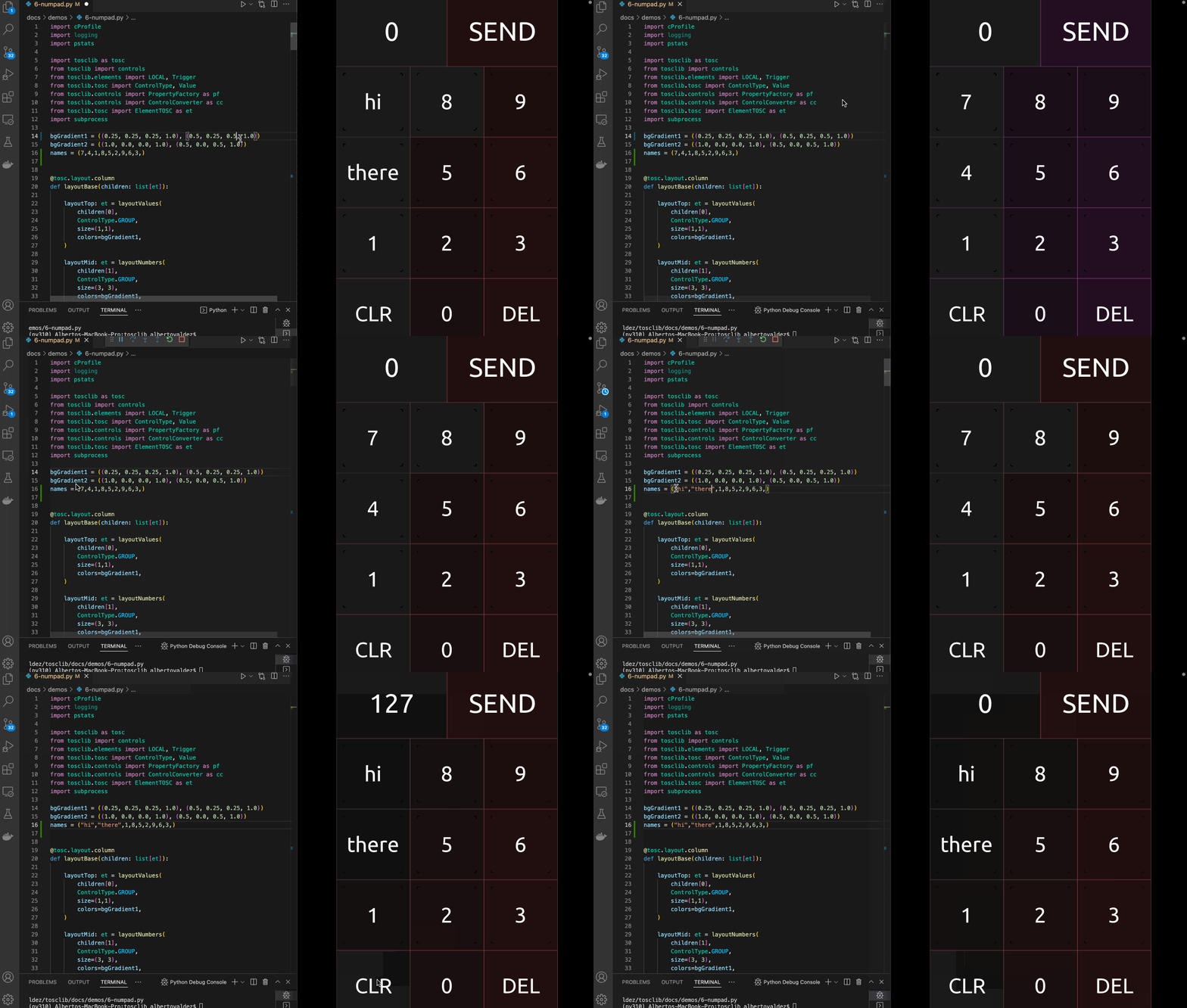
Each key is a BUTTON with a non-interactive LABEL on top, so the touch reaches
the button underneath. Pressing a key sends its name to the readout's text
value over a LocalMessage; the readout's script
appends the digit and clamps the running total to its max property.
"""An integer numpad, built entirely from Python.

A reconstruction of the numpad module by Felix
(<https://github.com/F-l-i-x/TouchOSC/tree/main/modules/numpad>), and the demo
that most exercises the library: nested layouts, per-cell controls, a Lua script
carried as a property, and LOCAL messages wiring every key to one readout.

Each key is a BUTTON with a LABEL on top. Pressing a key sends its caption to
the readout's `text` value over a LOCAL message, and the readout's script
decides what it means: a digit is appended, `DEL` drops the last one, `CLR`
starts over. Those twelve keys are wired identically, so the behaviour lives in
one place rather than in the messages.

The caption is sent with a `#` in front of it, because it arrives on the very
value the readout displays. TouchOSC reports a value only when it changes, so a
bare `7` sent while the readout already shows `7` would be no change at all and
the key would silently do nothing.

`SEND` is the exception. It touches the readout, and the readout carries an OSC
binding that fires on touch and sends the total to `/numpad/value` -- because an
OSC argument reads the control it sits on, and only the readout knows the total.

The whole layout is described inside out with the combinators in `py2tosc.ui`,
so nothing is sized until `resolve` runs at the end. Compare `from_json.py`,
which uses the eager `py2tosc.layout` functions instead.

    python tests/demos/numpad.py
"""

import argparse
from collections.abc import Sequence
from pathlib import Path

import py2tosc
from py2tosc import Control, LocalMessage, Value, layout, ui

GRADIENT = ("#404040", "#804040")
KEYS = ("7", "4", "1", "8", "5", "2", "9", "6", "3")

READOUT_SCRIPT = """
-- The running total, held as text so digits can be appended to it. Empty
-- means nothing has been typed yet, which shows as 0.
self.sum = ""
self.values.text = "0"

-- A keypress arrives on the same value the readout displays, so it is marked
-- with a prefix a total can never start with. Without it, pressing 7 while the
-- readout already shows 7 would write the value that is there, and TouchOSC
-- reports a value only when it changes -- so the key would do nothing.
local PRESS = "#"

function onValueChanged(key, value)
    if key ~= "text" then
        return
    end

    local incoming = self.values.text
    if string.sub(incoming, 1, 1) ~= PRESS then
        return
    end

    -- Each key names itself, so the key decides what it means.
    local pressed = string.sub(incoming, 2)

    if pressed == "CLR" then
        self.sum = ""
    elseif pressed == "DEL" then
        self.sum = string.sub(self.sum, 1, -2)
    elseif not (self.sum == "" and pressed == "0") then
        self.sum = self.sum..pressed
    end

    if self.sum ~= "" and tonumber(self.sum) > tonumber(self.max) then
        self.sum = self.max
    end

    self.values.text = self.sum ~= "" and self.sum or "0"
end
"""


def key(
    caption: str,
    color: object,
    *,
    name: str = "",
    inset: float = 0.0,
    messages: Sequence[LocalMessage] = (),
) -> Control:
    """A cell holding a button with its caption laid over it.

    Args:
        caption: The text the label shows, which is also the button's name.
        color: The colour for both the button and the caption.
        name: The name of the cell itself. Defaults to the caption.
        inset: Fraction of the cell to inset the caption by, for padding. The
            button underneath fills the cell either way.
        messages: Bindings to attach to the button.

    Returns:
        The cell, unsized until the layout is resolved.
    """
    button = py2tosc.button(
        name=caption, color=color, outline=False, messages=list(messages)
    )
    return ui.labelled(button, caption, inset=inset, name=name or caption, color=color)


#: Marks a keypress, so it cannot be mistaken for a total the readout is
#: already showing. See READOUT_SCRIPT.
PRESS = "#"


def sends_key_to(readout: Control, caption: str) -> LocalMessage:
    """A binding telling the readout which key was pressed.

    The caption is sent as a marked constant rather than as the control's
    `name`, because it lands on the value the readout displays: sending a bare
    `7` while the readout shows `7` changes nothing, and TouchOSC reports a
    value only when it changes, so the key would silently do nothing.
    """
    return ui.connect(readout, source=ui.const(PRESS + caption), to="text", on="RISE")


def build() -> py2tosc.Document:
    """Assemble the numpad."""
    top, middle, bottom = layout.gradient(*GRADIENT, 3)
    value_shade, send_shade = layout.gradient(*GRADIENT, 2)
    clear_shade, zero_shade, del_shade = layout.gradient(*GRADIENT, 3)

    readout = py2tosc.label(
        name="valueLabel",
        color=value_shade,
        background=False,
        text_size=60,
        values=[Value("text", default="0"), Value("touch", default=False)],
    )
    readout.set("sum", "")
    readout.set("max", "127")
    readout.script = READOUT_SCRIPT

    # SEND cannot send the total itself: an OSC argument reads the control it
    # sits on, and the readout is the only control holding the total. So the
    # binding lives here, and SEND fires it by touching the readout.
    readout.messages.append(
        ui.osc(
            "/numpad/value",
            args=[ui.value("text", conversion="STRING")],
            var="touch",
            on="RISE",
            receive=False,
        )
    )

    # -- readout and send, across the top
    values = ui.row(
        ui.stack(
            py2tosc.button(name="valueButton", color=value_shade),
            readout,
            name="value",
            color=value_shade,
        ),
        key(
            "SEND",
            send_shade,
            name="send",
            messages=[ui.connect(readout, to="touch", on="ANY")],
        ),
        name="values",
        color=top,
    )

    # -- the digits, in a 3x3 grid
    numbers = ui.tiles(
        *(
            key(
                caption,
                shade,
                name=f"key{caption}",
                inset=0.1,
                messages=[sends_key_to(readout, caption)],
            )
            for caption, shade in zip(KEYS, layout.gradient(*GRADIENT, len(KEYS)))
        ),
        columns=3,
        name="numbers",
        color=middle,
    )

    # -- clear, zero and delete along the bottom. These send their names like
    # every other key; the readout's script is what gives CLR and DEL meaning.
    clear = ui.row(
        key("CLR", clear_shade, name="clear", messages=[sends_key_to(readout, "CLR")]),
        key("0", zero_shade, name="zero", messages=[sends_key_to(readout, "0")]),
        key("DEL", del_shade, name="del", messages=[sends_key_to(readout, "DEL")]),
        name="clear",
        color=bottom,
    )

    doc = py2tosc.Document(
        root=ui.column(
            values,
            numbers,
            clear,
            sizes=(1, 3, 1),
            frame=(0, 0, 500, 800),
            name="Numpad",
        )
    )
    return doc.resolve()


def main(output_path: Path) -> None:
    doc = build()

    for issue in doc.validate():
        print(f"  {issue}")

    output_path.parent.mkdir(parents=True, exist_ok=True)
    doc.save(output_path)
    print(f"{len(doc.find_all())} controls -> {output_path}")


def parse_args() -> argparse.Namespace:
    """Read the command line, so a missing path is a message and not a crash."""
    parser = argparse.ArgumentParser(
        description=__doc__.split("\n\n")[0],
        formatter_class=argparse.RawDescriptionHelpFormatter,
    )
    parser.add_argument(
        "-o",
        "--output",
        type=Path,
        default=Path("build") / f"{Path(__file__).stem}.tosc",
        help="where to write the layout (default: %(default)s)",
    )
    return parser.parse_args()


if __name__ == "__main__":
    args = parse_args()
    main(args.output)
The demo runs validate before saving, and the layout it
produces comes back clean.