Custom property
TouchOSC accepts properties it does not recognise, keeps them across a save, and exposes them to Lua. This adds one to a layout's root node.
"""Add a custom property to a layout's root node.

TouchOSC keeps properties it does not recognise and exposes them to Lua, which
makes them a place to store configuration a layout needs to remember.

    python tests/demos/custom_property.py tests/data/test2.tosc
"""

import argparse
from pathlib import Path

import py2tosc


def main(input_path: str, output_path: Path) -> None:
    doc = py2tosc.load(input_path)

    # On the root node, so every control can reach it as self.parent.<key>.
    doc.root.set("CustomProperty", "Craig")

    output_path.parent.mkdir(parents=True, exist_ok=True)
    doc.save(output_path)
    print(f"CustomProperty = {doc.root.get('CustomProperty')!r} -> {output_path}")


def parse_args() -> argparse.Namespace:
    """Read the command line, so a missing path is a message and not a crash."""
    parser = argparse.ArgumentParser(
        description=__doc__.split("\n\n")[0],
        formatter_class=argparse.RawDescriptionHelpFormatter,
    )
    parser.add_argument("input", help="the layout to read")
    parser.add_argument(
        "-o",
        "--output",
        type=Path,
        default=Path("build") / f"{Path(__file__).stem}.tosc",
        help="where to write the layout (default: %(default)s)",
    )
    return parser.parse_args()


if __name__ == "__main__":
    args = parse_args()
    main(args.input, args.output)
Read it back inside the editor:
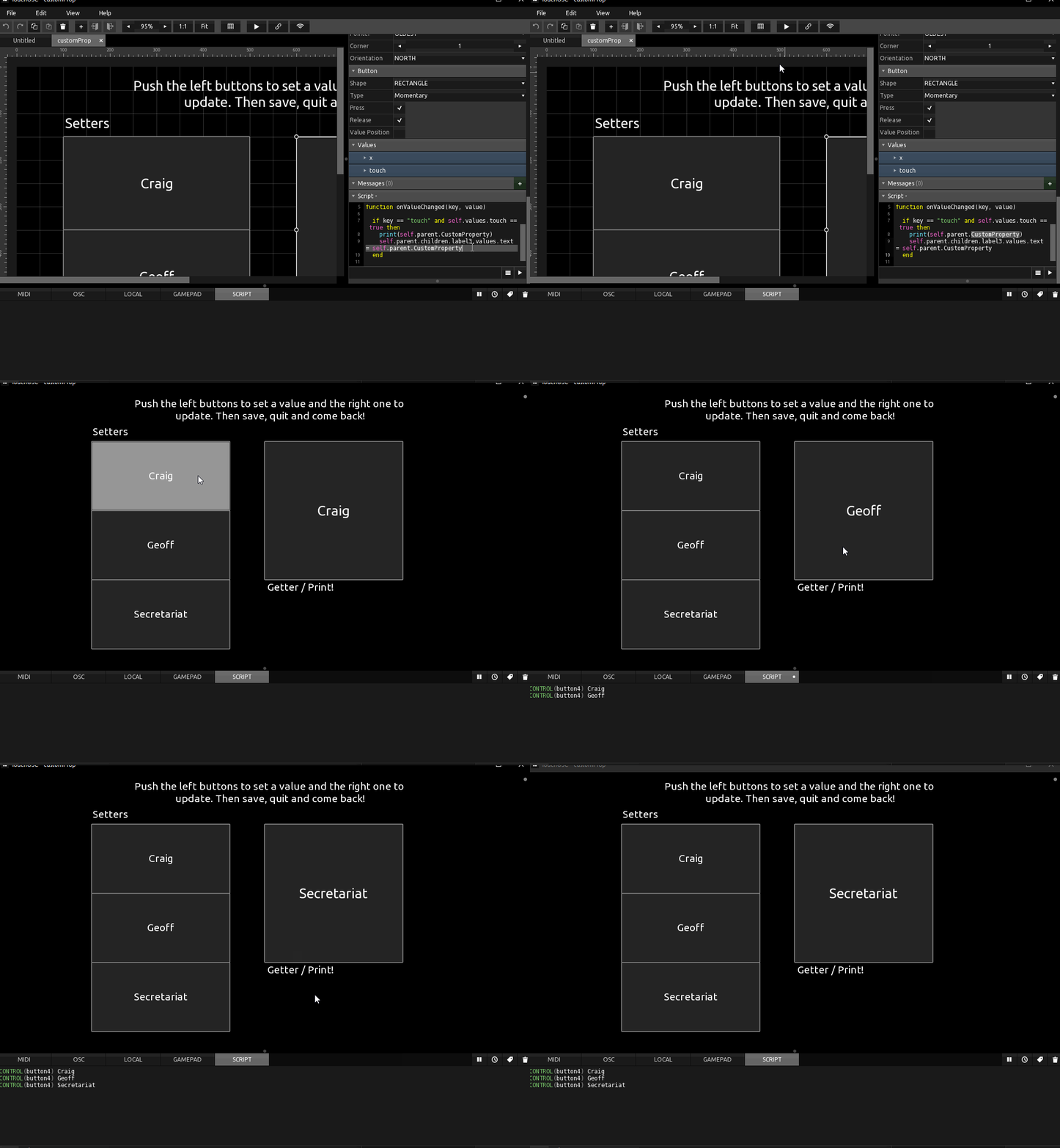
function onValueChanged(key, value)
    if key == "touch" and self.values.touch == true then
        print(self.parent.CustomProperty)
        self.parent.CustomProperty = self.parent.children.label2.values.text
    end
end
-
Call a script that changes the custom property, then another that sets a label's text from it.
-
Save, close, and load the layout again. The label text is still there, because it reads the property on
init.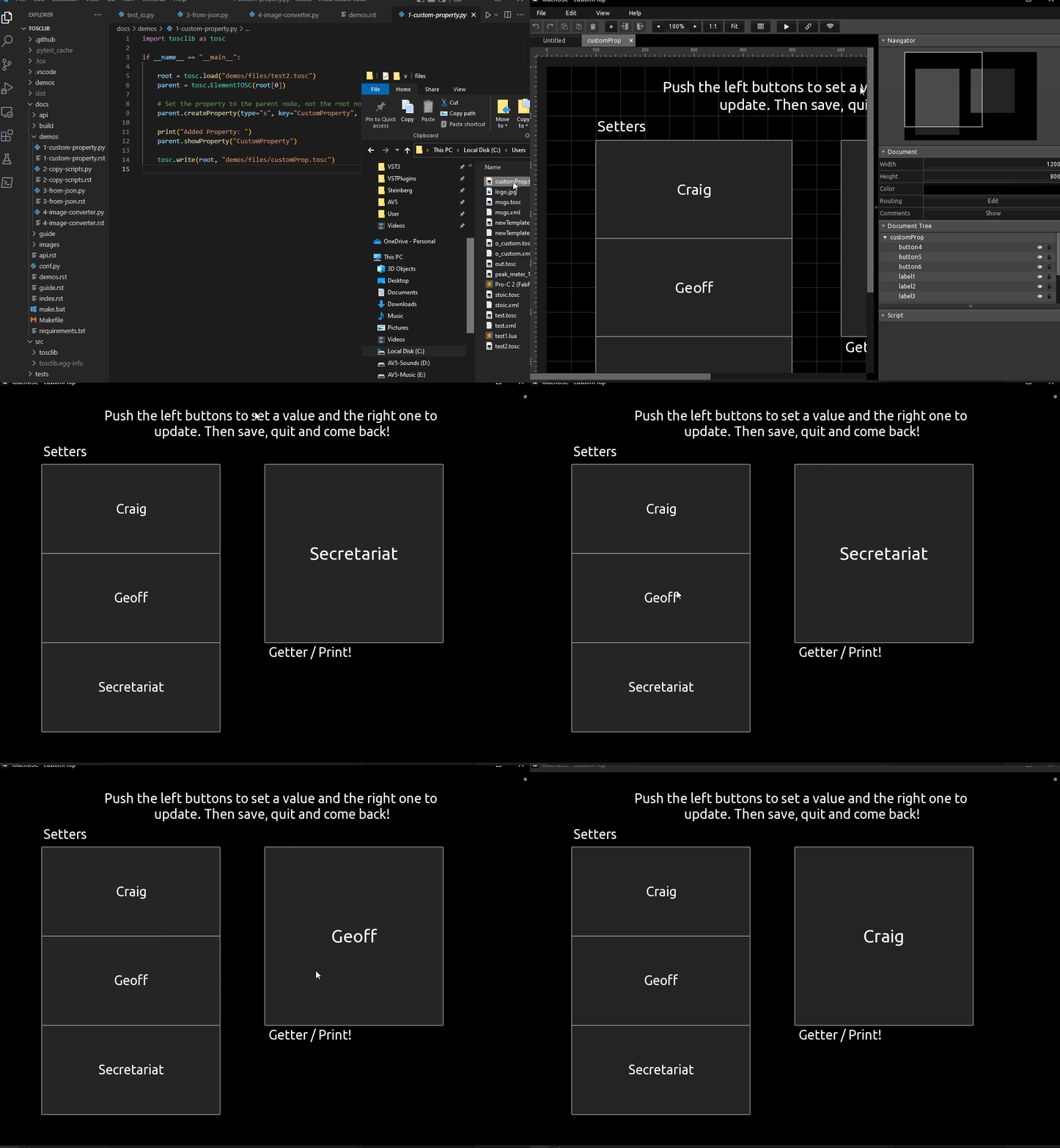
function init()
    self.parent.children.label3.values.text = self.parent.CustomProperty
end

function onValueChanged(key, value)
    if key == "touch" and self.values.touch == true then
        self.parent.children.label3.values.text = self.parent.CustomProperty
    end
end
See also Custom properties in the guide.