Layout Gallery
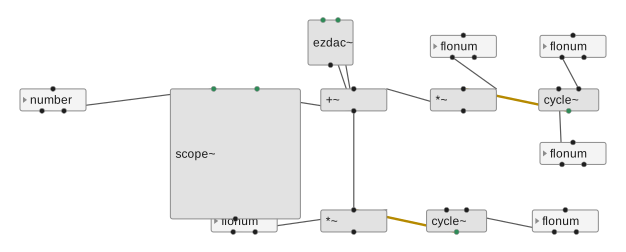
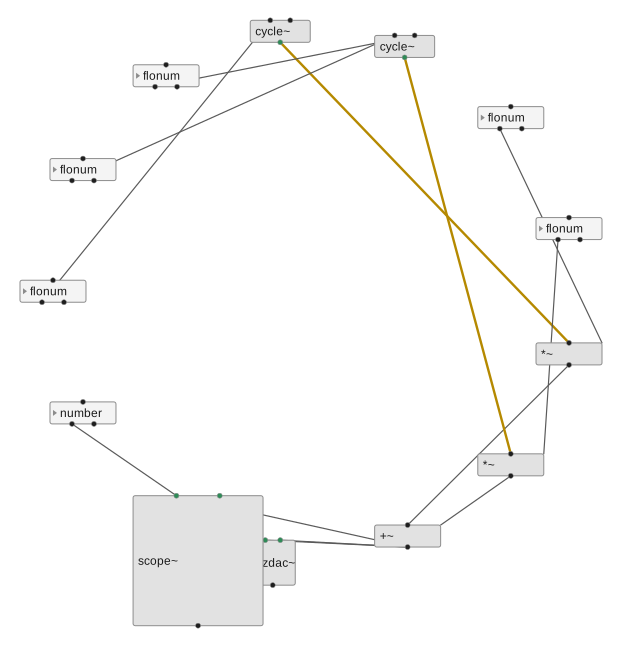
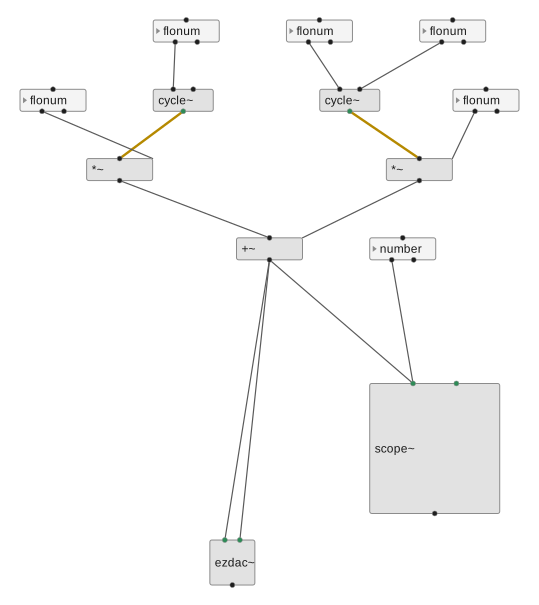
A visual comparison of the graph-layout algorithms py2max can drive, all
applied to the same sample patch (a small two-voice synth). Each image is
generated by scripts/gen_layout_gallery.py, which repositions the boxes with
a given backend and renders the result through py2max's own SVG exporter, so
the layouts are directly comparable.
Regenerate the gallery with:
The layout engines are optional dependencies and are not imported by the core
library. Install them with pip install "py2max[graph]" (or
uv sync --extra graph). Three backends are supported:
- graph-hola - a wrapper for the adaptagrams HOLA algorithm (Human-like Orthogonal Network Layout).
- graph-layout - pure-Python constraint-based (COLA) and force-directed / geometric layouts.
- ogdf-py - Python bindings for the OGDF C++ library (layered, force-directed, planar).
Using these as py2max layout managers
Beyond the gallery script, every engine below is available as a first-class
layout manager. Pass layout="graph:<algo>" and call optimize_layout() once
the patch is built -- graph layouts need the whole graph, so they apply on
optimize rather than as each box is added:
from py2max import Patcher

# HOLA orthogonal layout, applied directly to the patch
p = Patcher("synth.maxpat", layout="graph:hola")
osc = p.add_textbox("cycle~ 440")
flt = p.add_textbox("lores~ 800 0.7")
dac = p.add_textbox("ezdac~")
p.add_line(osc, flt)
p.add_line(flt, dac)
p.optimize_layout()   # graph:* layouts take effect here
p.save()

# ...or an OGDF layered layout on the same patch
p = Patcher("synth.maxpat", layout="graph:ogdf-sugiyama")
# ...add boxes and lines...
p.optimize_layout()
Available selectors (graph:<name>): hola, cola, sugiyama,
fruchterman-reingold, kamada-kawai, spectral, circular, shell,
ogdf-sugiyama, ogdf-fmmm, ogdf-planarization -- each corresponds to one
of the images below. See GraphLayoutManager in py2max/layout/external.py.
graph-hola
HOLA (orthogonal)
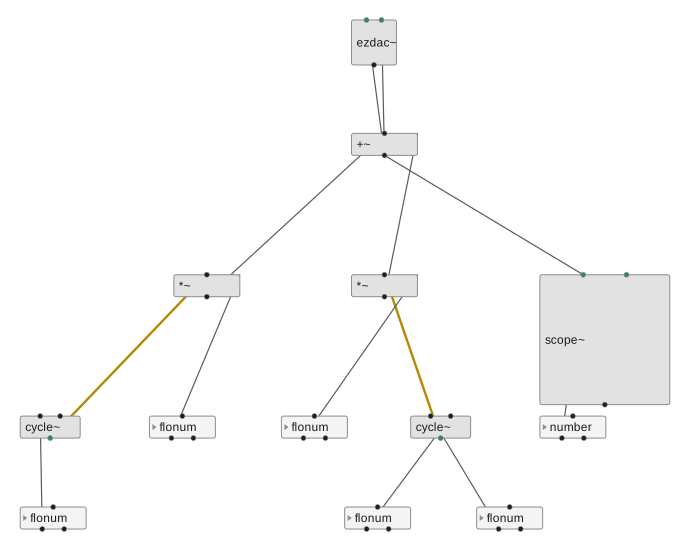
graph-layout
COLA (constraint)
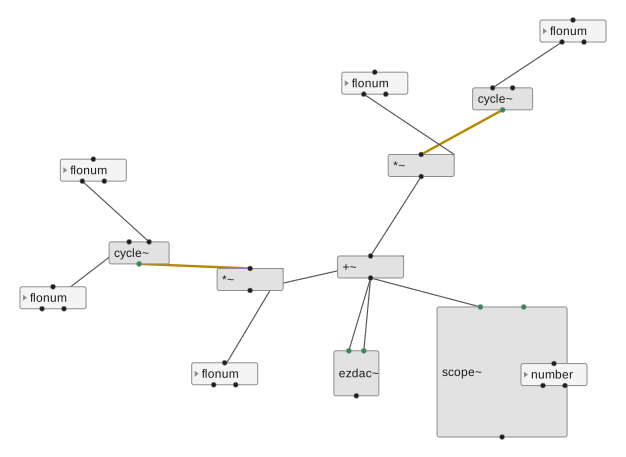
Sugiyama (layered)
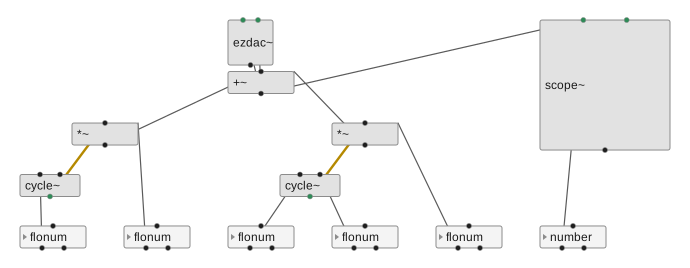
Fruchterman-Reingold
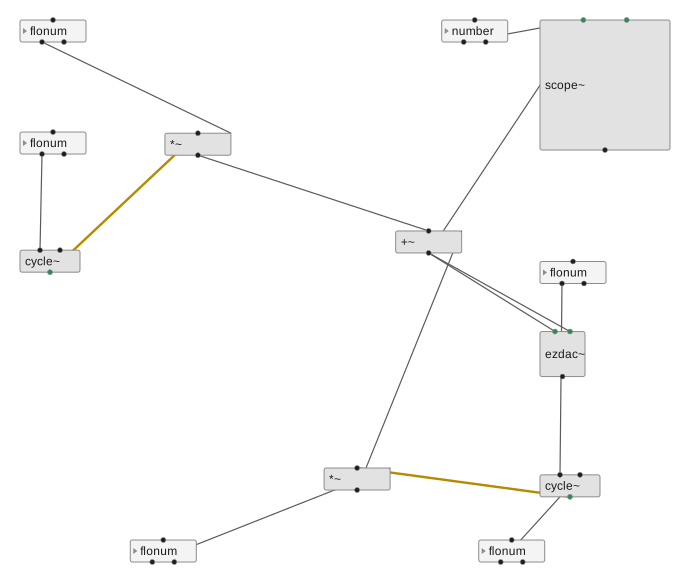
Kamada-Kawai
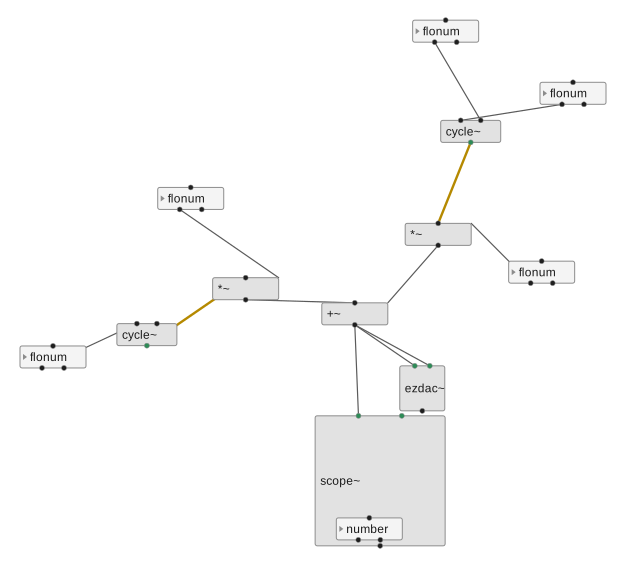
Spectral
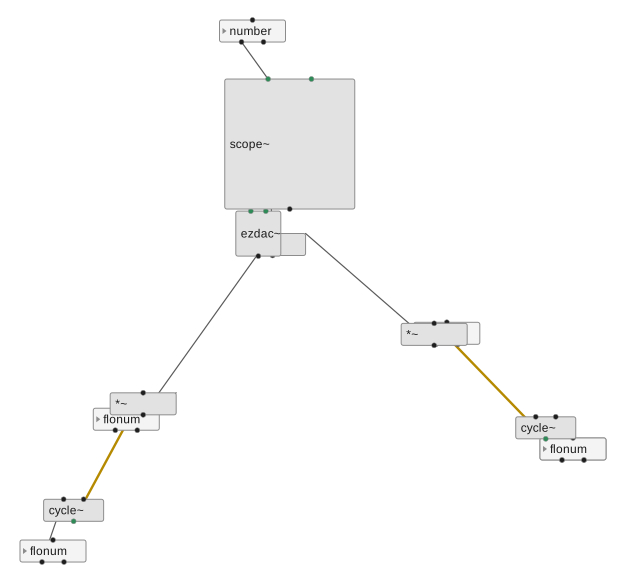
Circular
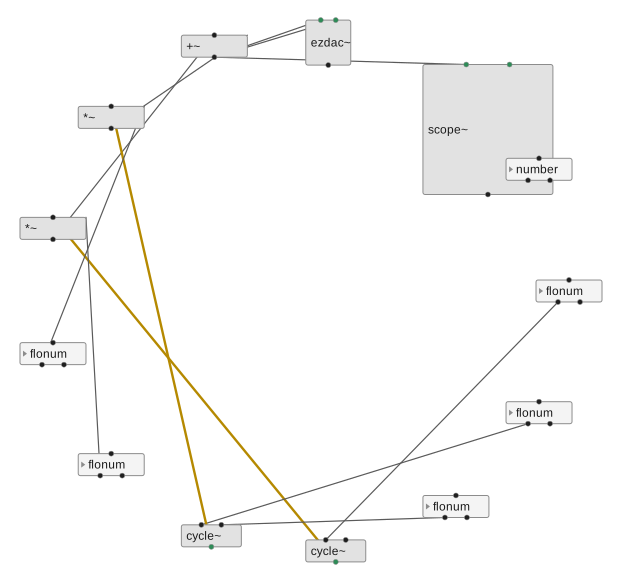
Shell
ogdf-py
OGDF Sugiyama (layered)
OGDF FMMM (force-directed)
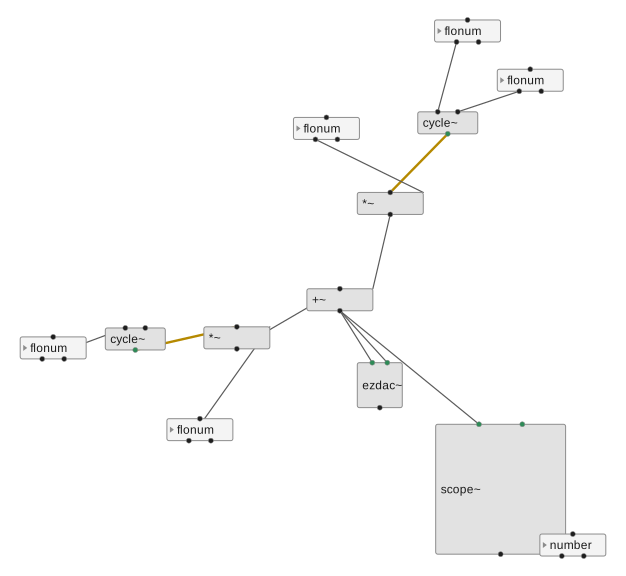
OGDF Planarization (orthogonal)